
Style
Monospace Fonts
Fixed-width typefaces where every character occupies the same horizontal space. Monospace fonts are essential for coding, technical documentation, and designs requiring precise character alignment.
5 premium | 6 free | 11 total
Monospace (or fixed-width) fonts give every character the same horizontal width, from narrow letters like 'i' to wide ones like 'm'. This consistent spacing originated from typewriter mechanics and remains essential for programming and technical applications.
Why Choose Monospace?
Monospace fonts ensure perfect vertical alignment of characters, making them indispensable for code editors, terminal displays, and tabular data. They also carry associations with technology, coding culture, and technical precision.
Popular Subcategories
- Developer fonts: Optimized specifically for programming with ligatures and distinctive characters. Examples: Fira Code, JetBrains Mono, Victor Mono
- Classic mono: Traditional typewriter-style fonts with timeless appeal. Examples: Courier, Monaco, Consolas
- Modern mono: Contemporary designs balancing aesthetics with functionality. Examples: Source Code Pro, IBM Plex Mono, Inconsolata
- Creative mono: Stylized monospace fonts for design applications. Examples: Space Mono, Roboto Mono
Key Features
- Programming ligatures: Combined characters for code operators (=>, !=, ===)
- Distinguishable characters: Clear differentiation between 0/O, 1/l/I
- Box-drawing characters: For ASCII art and terminal interfaces
- Powerline symbols: For enhanced terminal prompts
- Multiple weights: Support for syntax highlighting themes
Best Use Cases
Monospace fonts are essential for:
- Code editors and IDEs: The standard choice for writing and reading code
- Terminal interfaces: Shell prompts, logs, and command-line tools
- Technical documentation: Code snippets, configs, and README files
- Data tables: Perfect alignment of numbers and columns
- ASCII art: Character-based graphics require fixed-width fonts
- Retro/tech design: Modern projects seeking a technical aesthetic
Design Tips
When working with monospace fonts:
- Set line-height between 1.4-1.6 for comfortable code reading
- Enable programming ligatures if your editor supports them
- Use lighter weights for body text, bolder for syntax emphasis
- Test character distinction with problematic pairs (0O, 1lI)
- Consider color scheme compatibility for syntax highlighting
- Choose fonts with italics for comments and documentation
Premium Monospace Fonts




Free Monospace Fonts
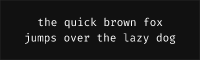

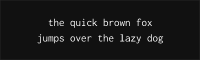
Inconsolata Free Variable
Google Fonts OFL-1.1 Variable (100-900)
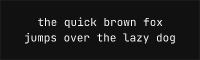
JetBrains Mono Free Variable
Google Fonts OFL-1.1 Variable (100-900)
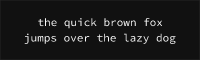
Source Code Pro Free Variable
Google Fonts OFL-1.1 Variable (100-900)
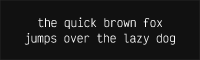
Victor Mono Free Variable
Google Fonts OFL-1.1 Variable (100-900)
No fonts found with this filter.