Fira Code
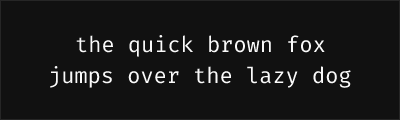
About Fira Code
- Source
- Google Fonts ↗
- Classification
- mono
- Weights
- Variable (100-900)
- Features
- Variable
Fira Code is a free monospace font with programming ligatures, created by Nikita Prokopov based on Mozilla's Fira Mono. It has become one of the most widely adopted coding fonts due to its extensive ligature support and excellent readability.
History and Design
Fira Code was developed by Nikita Prokopov starting in 2014, building on Fira Mono which Mozilla created for Firefox OS. The key innovation was adding programming ligatures—contextual character combinations that render common coding symbols as connected glyphs, making code easier to scan and understand.
Why Fira Code is Popular
Fira Code has earned its position as a developer favorite:
- Extensive ligatures: Over 100 programming ligatures
- Mozilla heritage: Built on the solid foundation of Fira Mono
- Wide adoption: Supported in virtually every code editor
- Active development: Continuous updates and improvements
- Variable font: Smooth weight adjustments in supporting applications
Technical Features
- Weight range: 300-700 (Variable font support)
- Ligature coverage: Comprehensive set for most programming languages
- Character variants: Multiple stylistic alternates available
- Powerline symbols: Built-in support for terminal status lines
- Broad compatibility: Works in almost every development environment
Best Use Cases
Fira Code excels in:
- Any code editor: Universal IDE support
- Terminal and shell: Clean rendering with Powerline support
- Web development: Popular choice in web dev community
- Documentation: Code examples that look professional
Usage Tips
Most editors require enabling ligatures in settings. In VS Code, add "editor.fontLigatures": true to settings.json. Use weight 400 for regular coding, 300 for high-density displays, or 500 for streaming/presentations. Fira Code pairs well with Fira Sans for UI text, creating a cohesive type system.
Alternative For (4)
Fira Code is a free alternative to the following premium fonts:
Fira Mono with programming ligatures for enhanced code readability
How to Use Fira Code
Copy these code snippets to quickly add Fira Code to your project.
CSS Import
@import url('https://fonts.googleapis.com/css2?family=Fira+Code:wght@100..900&display=swap');HTML Link Tags
<link rel="preconnect" href="https://fonts.googleapis.com">
<link rel="preconnect" href="https://fonts.gstatic.com" crossorigin>
<link href="https://fonts.googleapis.com/css2?family=Fira+Code:wght@100..900&display=swap" rel="stylesheet">
Tailwind CSS
// tailwind.config.js
module.exports = {
  theme: {
    extend: {
      fontFamily: {
        'fira-code': ['"Fira Code"', 'sans-serif'],
      },
    },
  },
}

// Usage in HTML:
// <p class="font-fira-code">Your text here</p>
React / Next.js
// Using next/font (Next.js 13+)
import { Fira_Code } from 'next/font/google';

const fira_code = Fira_Code({
  subsets: ['latin'],
  weight: ['100', '200', '300', '400', '500', '600', '700', '800', '900'],
});

export default function Component() {
  return (
    <p className={fira_code.className}>
      Your text here
    </p>
  );
}

// Or using inline styles with Google Fonts link:
// <p style={{ fontFamily: '"Fira Code"' }}>Your text</p>